Your AI spotter.
Every rep counts.
Count push-ups and squats with on-device pose tracking. Review your training, follow your progress and build your next skill.
Limited beta · iOS 26+ · Requires Apple’s TestFlight app.
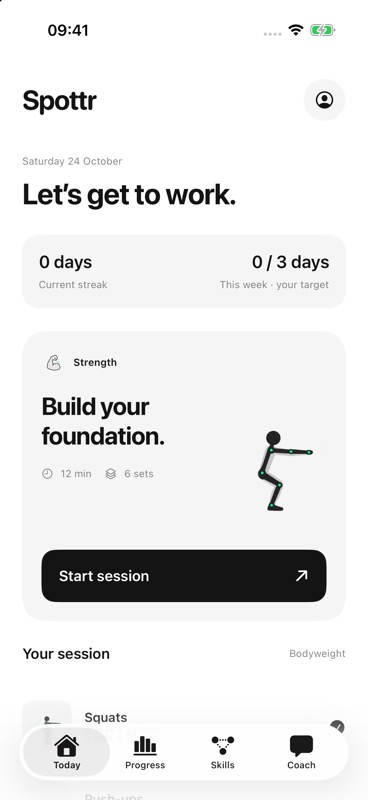
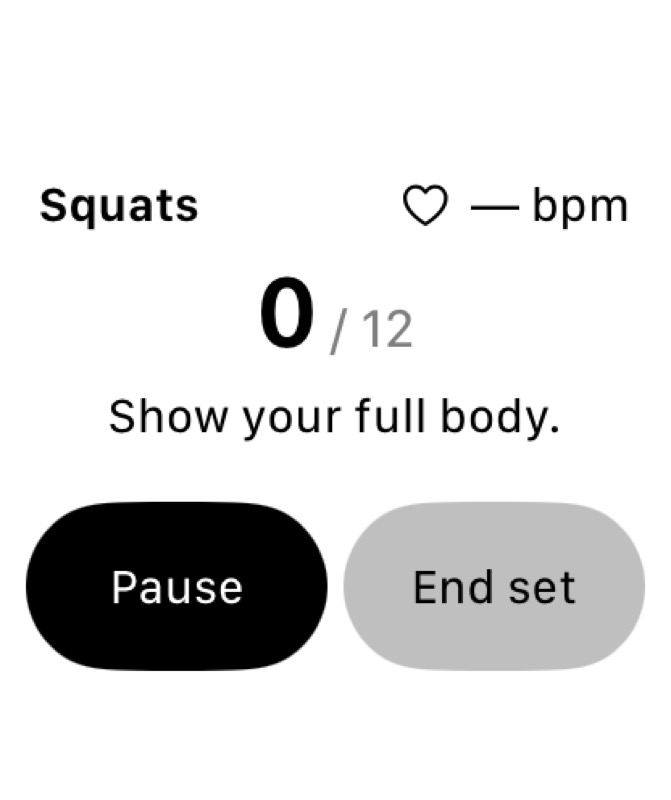
iPhone and Watch simulator captures
Features
Everything you need. Nothing you don't.
Vision Tracking
On-device pose tracking counts push-ups and squats and offers short form cues. It works best with a clear side view.
Apple Watch HR
The Watch companion records heart rate and wrist movement when you choose to record a workout. Device testing is ongoing.
AI Coach
Ask about your recorded training or request a workout plan. Optional Gemini coaching uses a configured internet connection.
Works Offline
Rep counting, on-screen cues and local history work offline. You choose when to request AI coaching or upload a workout.
Progress & Reports
Review your recorded sets and rep tempo. Earn XP and follow connected skill challenges in a tree or a linear view.
Voice Cues
Turn on local voice feedback for short cues while you train. It starts off for each workout. ElevenLabs voices are planned.
How It Works
Set up. Show up. Get stronger.
Position Your Phone
Place your phone side-on, about 2–3 m away. Full body in frame, good lighting.
Train
Spottr tracks your reps, monitors your form and delivers one coaching cue at a time.
Review & Improve
Review recorded reps and tempo, with Watch data when available. Choose what to work on next.
19
Exercises in library
2
CV-tracked exercises
4
Training goals
Local
History on your iPhone
Try your next session.
Try Spottr on your iPhone, with an optional Apple Watch companion. This early beta is still being tested on real devices.